



The Best Laptop I’ve Ever Owned (Chromebook)
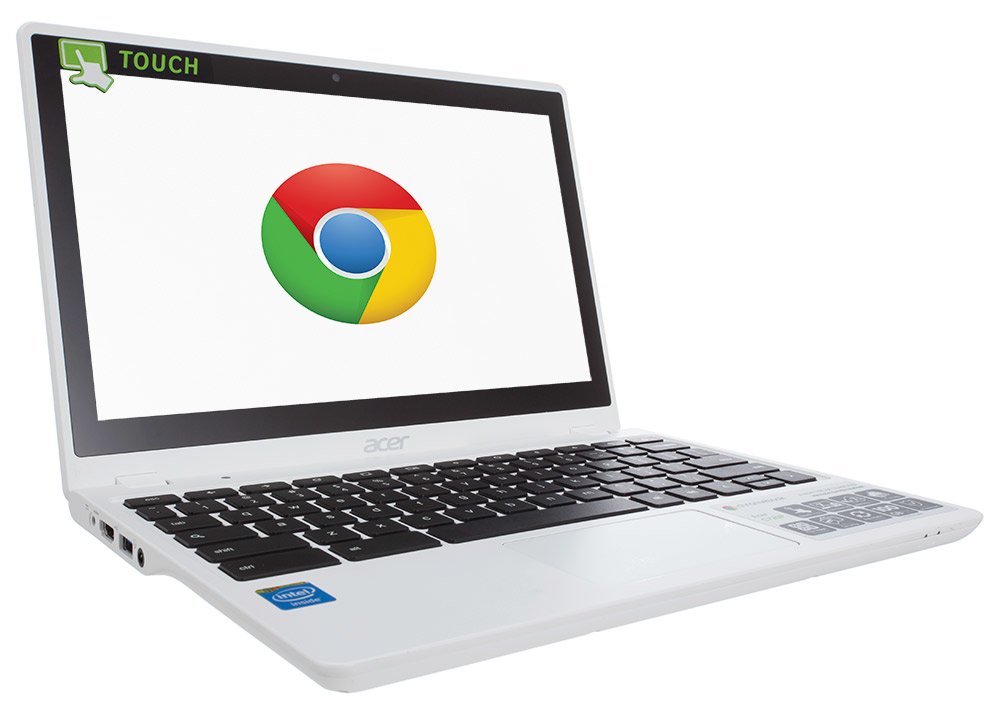
I have a love-hate relationship with laptops. I love them. They hate me.
Over the past 10 years, I’ve gone through an average of about 2 to 3 computers per year. I’ve dropped a few by accident and cracked the screens. Two laptops were stolen. One laptop fizzled out after being doused by a 16-ounce tumbler full of rum punch. A couple more were smashed during violent fits of rage, the maddening result of a losing sports wager and (in at least one true incident) a wickedly slow web browser. Load the page faster, goddammit!!! Wham!!! Then, some laptops simply wear out over time. I figure the expiration date on any laptop is when the letters have finally worn off the keys and you start making lots of spelling mistakes (that’s my story, and I’m sticking to it).
Read my STOLEN LAPTOP story here.
A few months ago, I decided it was time to purchase a new laptop — so instead, I ended up buying three. I used to be a laptop hog, which meant I demanded the biggest possible screen and keyboard on the market. So, I hauled that 9-pound, 17-inch, giant screen warhorses around the world for years, lugging the metallic beasts of burden through TSA scanners, hotel rooms, various poker events, Starbucks, and backyard barbecues until I finally decided to cut the fat and go the lean and mean route, instead.
Each of the three laptops I purchased back in May weighed under 4 pounds and was razor-thin, which meant they were perfect for mobility. The drawback of light and thin is fragile — hardly a virtue with my notorious history as an abuser. Accordingly, I had to make sure that the laptops could take a licking and keep on ticking, as the old Timex watch commercial used to say.
Actually, I ended up purchasing two machines that were identical. I found precisely the laptop I was looking for, which had to include a backlit keyboard (critical, since I often work in dark places — as the content of my writing often reveals). When I located my perfect match, I decided to buy two at once, since I got a great price. I figured, with football season coming up, it’s wise to be prepared with a “stand by” machine, just in case I have a losing season. As for the third laptop — the subject of this product review — this purchase came on a total whim. I had no intention of seeking out a third machine, but after reading more about the product online and discovering how light and durable they were, I decided to make the buy.
My Chromebook (on which I’m typing this article right now) sat beneath my desk for a couple of months. I had no reason to open the box or use the laptop since I already had two in use (one for work, the other used more as a personal PC). However, a few weeks ago, I became curious to know how the Chromebook might differ from conventional Apple or Windows-based devices. I cracked open the box, powered up the machine, and I pretty much haven’t shut it down since. It’s that remarkably good.
The Chromebook is perfect for basic tasks — including web browsing, e-mails, checking Facebook, Twitter, etc. It’s also great for watching videos and listening to music. Since I do lots of writing, I’m ridiculously picky about keyboard movement and speed. I find it’s remarkably responsive and perfectly tailored to my needs.
Then, there’s the weight, which is only about three pounds. After hauling around much heavier laptops for years, this is a dream. I also purchased a plastic shell protector which (I hope) will prevent future damage. So far, I’ve dropped it only once, and the screen came through like a champ. You can lift the machine with two fingers.
Best of all is an amazing speed, which is the fastest device I’ve ever experienced on any laptop — and I’ve owned machines costing as much as $2,300 brand new (that Sony was a piece of shit!). The Chromebook boots up within mere seconds. If you’re typing and get interrupted, simply shut the lid, and walk away. When you come back, even hours later, opening up the screen, logging on, and then waiting just a few seconds brings you right back to where you were before. Contrast this with other laptops where you sometimes lose data or it takes minutes to load up all the programs. I get interrupted a lot, so for me, this feature is fabulous. Shutting down takes about five seconds.
Chromebook doesn’t have everything. It’s not loaded with a bunch of garbage programs that 95 percent of us never use. It’s certainly not for high-techies and snobs who basically live their lives on their PC. However, for the rest of us, and particularly people like writers, students, researchers, or those who simply like to web browse, this is an astonishingly good device for the money.
Oh, and now the price. It’s tough to find a decent laptop for under $600. However, many very good models are priced in the $600 to $1,000 range. Double that, if you’re a Mac user. So, what’s the price of a new Chromebook? I bought mine for $169. Wow. If you want the touch screen, they’re online for as little as $199. This is a fraction of the price you’d pay for any laptop out on the market, which (in my opinion) is more user-friendly, faster, and lightweight. At this price, I might just smash a few for shits and giggles.
Oh, and then there’s battery life, still rocking right now as I speak, well into its sixth hour, with plenty of juice left while I sit here in an airport. That’s about twice the battery life I’ve experienced with the conventional more expensive devices.
Admittedly, I know next to nothing about computers and high tech. So, this review isn’t very deep on specifics. All I know is, the Chromebook is working out well for me. It also beats the iPad all to hell when it comes to writing and composing materials. I have a couple of IPads that are great for browsing and entertainment, but they are annoying to type things on, except for very short text and basics like short e-mails. I enjoy IPads, but they aren’t good for writers.
While traveling this past weekend, someone approached me after noticing I was working on a Chromebook. He looked over at my laptop and smiled. Still somewhat new to the techie tribe, I thought he was going to say something negative. Instead, I was somewhat shocked when he revealed that, like me, he’d used several other laptops over the years, and finally decided to try the Chromebook when it was released on the market a few years ago. He informed me it was the best computer purchase he’d ever made for daily use and simple tasks. So far, I agree with him.
Chromebook is the best laptop I’ve ever used for the price. They should gain in popularity as more people discover what wonderful tools they are for day-to-day use.
Finally, there’s the default wallpaper which includes a photo of a polar bear. I didn’t have to download anything or pay for it. The polar bear came with the laptop. I like polar bears.
Read more about the Acer Chromebook (with pricing and reviews) here.







First off, let me say, you may have just sold another Chromebook. I may just have to pick one up for myself. But I will be going with the touchscreen model. You should give the touchscreen model a try. I didn’t think it would be that big of a difference when I got my first one, but now all of my computers have touchscreens. And it has become so ingraned in my thought process, whenever someone else shows me something on their computer, specifically maps or documents, my natural inclination is to move around using the screen, not the touchpad. I think it’s the same difference from using a touchpad to mouse as it is mouse to touchscreen.
One never goes wrong with polar bears. Bravo!
Can you sit by pool in vegas on any day and see the screen… letters, pics?
Brightness factor?
Screen. Talk to us.
Lol
Nolan Replies: All laptops have glare issues. But the muted screen on this one is better than most. Typing in sunlight a challenge, but doable. Outdoors in shade is fine. I type lots outdoors so this was a major factor for me.
— ND
I bought one for my daughter (age 25) and she loves it. I knew she wanted to watch movies and TV on it, so I spent $300 and got a top quality display. It is absolutely beautiful. She loves her chromebook.
Toshiba TOCB35B3340
CB35-B3340 Chromebook 2 13.3″ LED-Backlit TFT TruBrite Display (Silver)